Scratch Animation 301

Transition to Pro Coding with the Full Scratch Interface
Hands-On Projects | Live Support
Ages 7-9
10 Lessons
Online Live

Course Overview

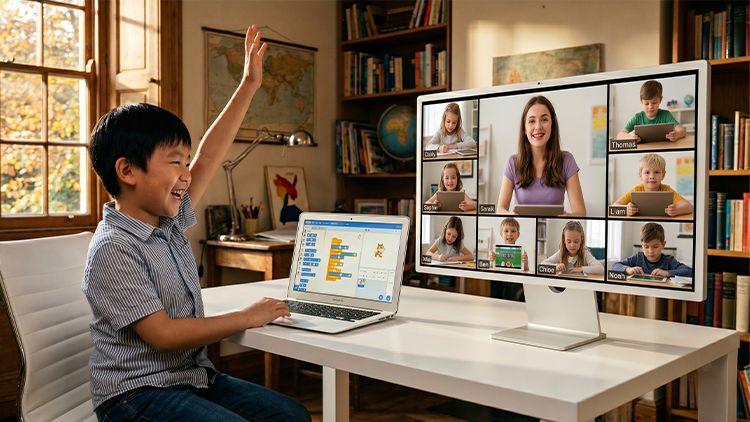
Scratch Animation 301 is the definitive bridge course for 7–9-year-olds transitioning from Scratch Jr to the full MIT Scratch desktop platform. Tailored for students who completed Scratch Jr 201 or have basic block-coding skills, it moves learners beyond simple tablet operations into structured desktop programming.
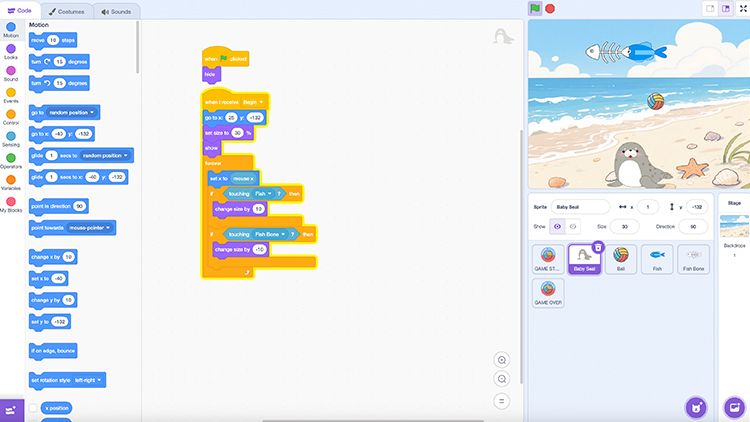
As a live instructor-led course, it focuses on core advanced skills: complex logic, coordinate-based movement, and keyboard-mouse control mastery. Guided by teachers, young creators will tackle sophisticated coding concepts, gain confidence with the full Scratch interface, and evolve from basic animators into skilled builders of interactive digital worlds.

Key Benefits

  • Learn Scratch interface and core programming structures
  • Build projects using events, conditions, and variables
  • Develop structured logic across multi-step systems
  • Solve problems through debugging and iteration
  • Create interactive projects with multiple components
  • Ages: 7-9
  • Level: Intermediate
  • Format:  Live, Instructor-led Online
  • Duration: 10 Classes (60 Min Per Class)
  • Class Size: Small Groups (8–10 students)
  • Software: Scratch Jr App (Free)
  • Supprt: Online Q&A

$349

×
Course image

Scratch Animation 301
Age: 7–9 years old

Duration: 10 Classes

Format: Live, Instructor-led Online

$349.00

Select Class

Student Info

Parent / Guardian Info

Class Schedule 

  • Class A
    03/21/2026 – 05/23/2026
    Every Sat • 10:00–11:00 AM (EST)
  • Class B
    03/21/2026 – 05/23/2026
    Every Sat・6:00–7:00 PM (EST)
  • Class C
    03/28/2026 – 05/30/2026
    Every Sun・5:00–6:00 PM (EST)
Can't attend scheduled sessions?

Who Should Learn 

This course is ideal for: 

Rising Programmers

Students aged 7-9 ready for the desktop Scratch 3.0 experience.

Logic Seekers

Learners who want to understand how variables and loops control systems.

Visual Creators

Students interested in designing professional-looking animations and interactive stories.

Persistent Builders

Children who enjoy working on projects over several consecutive lessons.

What Parents & Students Say 

All live classes are taught by certified EonSTEM instructors in small groups to ensure individual attention.
“ The instructor made the transition from tablet to computer so exciting. My son finally understands exactly how real game coordinates actually work! 
Parent of an 8-year-old student
“ I loved learning to use the computer keyboard to control my sprites. My teacher showed me how to make a real scoreboard!  
Student, Age 9

Curriculum & Video Lessons

Enrolled students have full access to step-by-step video lessons and instructor-supported Q&A.

FAQs

What hardware is needed?
A laptop or desktop with a web browser is required.
Can we use a tablet?
A computer is recommended for the best Scratch 3.0 experience.
How are the classes conducted?
Students can learn in three flexible formats:
  • Live Online – interactive sessions with American instructors
  • Self-Paced – video lessons to study anytime
  • In-Person – available at select EonSTEM Academy locations
Is Scratch 3.0 free?
Yes, the software is completely free and open source.

Your Next AI Course

Scratch Animation 401

Age: 7-9
Level: Intermediate

AI Smart Lab 101

Age: 8–12
Level: Beginner