Scratch Animation 401

Master the Full Scratch Environment Through Step-by-Step Video Projects
Hands-On Projects | Online Q&A
Ages 7-9
10 Video Lessons
Self-Paced

Course Overview

Scratch 401 transforms 7–9-year-olds into true game developers by introducing high-level logic and data management. We move beyond simple animation into the world of system design, where students master variables to track high scores and use advanced cloning to create massive on-screen effects.
Through step-by-step video lessons, students learn how a computer handles complex math and physics, like gravity and acceleration. Each project builds the confidence needed to act as a digital architect. The course culminates in the creation of professional-grade games, proving that young creators can master the same logic used by real-world developers.

Key Benefits

  • Master advanced cloning and visual effects
  • Solve complex physics and motion problems
  • Develop efficient scripts for large projects
  • Build multi-level interactive software structures
  • Improve critical debugging and logic skills
  • Ages:  7-9
  • Level: Intermediate
  • Format: Self-Paced, Hands-On at Home
  • Duration: 10 Video Lessons
  • Software: MIT Scratch (Browser-based)
  • Focus: AI-Coding & Electronics
  • Schedule: Learn anytime, at your pace
  • Support: Online Q&A

$149

×
Course image

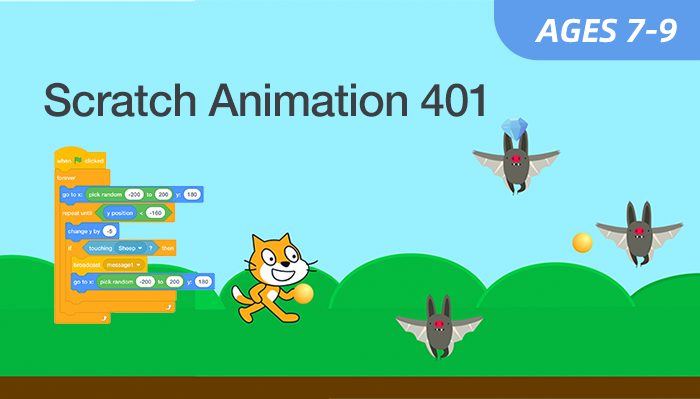
Scratch Animation 401
Age: 7–9 years old

Duration: 10 Classes

Format: Self-Paced, Hands-On at Home

$149.00

Student Info

Parent / Guardian Info

Access

  • Immediate access after enrollment
  • One year access
  • Self-paced video lessons
  • Pause and replay anytime
  • Learn anytime, anywhere
  • Stable internet connection required
Can't attend scheduled sessions?

Who Should Learn 

This course is ideal for: 

Advanced Coders

Students who have mastered the basics and seek deeper challenges.

Aspiring Engineers

Learners interested in physics, mechanics, and complex software interactions.

Problem Solvers

Students who enjoy fixing bugs and optimizing their code's performance.

Digital Architects

Learners ready to plan and execute sophisticated, multi-layered projects.

What Parents & Students Say 

Students receive guided, step-by-step instruction and ongoing platform support throughout their self-paced learning journey.
 The detailed videos empowered my child to build complex games independently while developing high-level logical thinking skills through fun and engaging coding projects.  
Parent of an 9-year-old student
I enjoyed replaying the cloning and variable lessons to make my games better. The projects are awesome and I feel like an expert!  
Student, Age 8

Curriculum & Video Lessons

Enrolled students have full access to step-by-step video lessons and instructor-supported Q&A.

FAQs

Is this course suitable for beginners?
Yes. Level 101 is designed for beginners with little to no prior coding experience.
How difficult are the projects?
They involve multi-layered logic and advanced math concepts.
Do parents need to help?
We encourage independence, but younger students may need light setup help at first.


What software is needed?
Only a standard web browser for the Scratch 3.0 platform.

Your Next AI Course

AI Smart Lab 101

Age: 8–12
Level: Beginner

Roblox AI Explorer 101

Age: 8–12
Level: Beginner