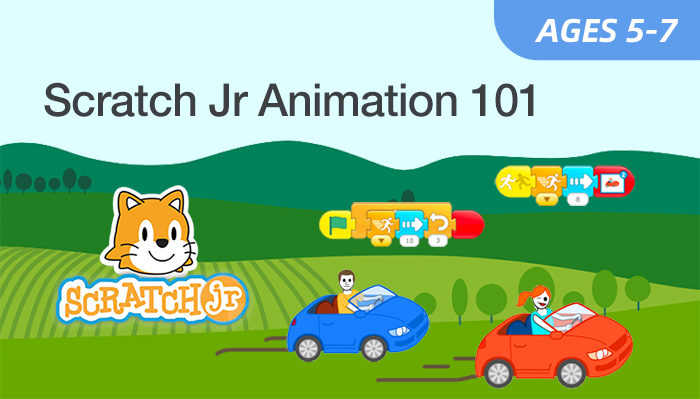
Scratch Jr Animation 101
Start Your Child's Coding Journey with Fun Stories & Animation
Ages 5-7
10 Lessons
Online Live
Who This Course Is For
Scratch Jr Animation 101 is designed for curious children ages 5–7 who are ready to take their first step into the world of coding.
No prior reading or coding experience is required. This course is perfect for pre-readers and early readers. We use symbol-based coding blocks, so children can focus on creativity and logic without worrying about typing or syntax. It is ideal for kids who love drawing, storytelling, or playing on tablets, transforming them from passive screen consumers into active digital creators.
What Students Will Learn and Create
Visual Block Coding
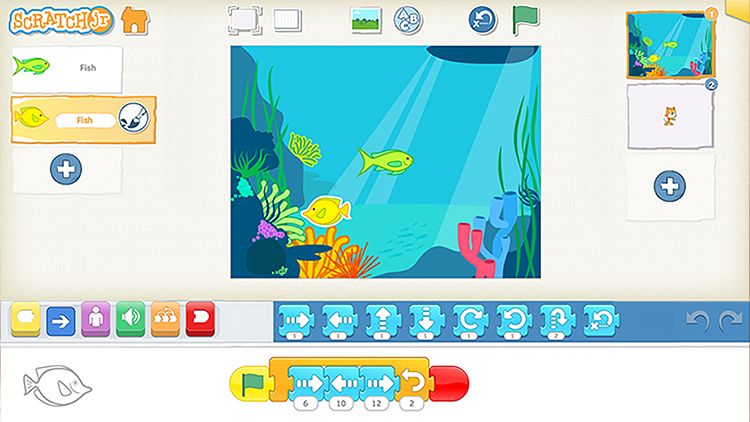
Snap blocks together to make characters move and speak.
Fun Stories
Create animated stories and mini-games that react to touch.
Logical Thinking
Build problem-solving skills by learning how to order steps correctly.
Creative Expression
Draw custom characters and record your own voice to tell the story.
Course at a Glance
-
Ages: 5–7 (Pre-reader friendly)
-
Level: Beginner
-
Format: Live, instructor-led online class
-
Duration: 10 classes (60 minutes per class)
-
Class Size: Small groups (8–10 students)
-
Software: Scratch Jr App (Free)
-
Focus: Early Coding Logic & Creativity
What Students Will Build
-
Coding animals to move to the beat.
-
Creating a digital book with pages that turn.
-
Piloting a rocket ship through obstacles.
-
Designing characters and recording voice intros.
-
Racing funny characters to the finish line.
What Parents & Students Say About Our Live Classes
All live classes are taught by certified EonSTEM instructors in small groups to ensure individual attention.
“ The instructor is fantastic with kids! My son used to just watch videos, but now he proudly builds his own animations. It’s amazing to see him think logically at age 6. ”
Parent of a 6-year-old student
“ I like making my cat run and jump on the iPad. I even recorded my own voice for the characters! Class is really fun, just like playing a game. ”
Student, Age 5
Class Schedule & Enrollment
-
Class A3/17/2026 – 5/24/2026
Every Wed • 5:30–6:30 PM (EST)
-
Class B3/22/2026 – 5/24/2026
Every Sun • 5:00–6:00 PM (EST)
$349
Can't attend scheduled sessions?
Course Details
Overview
Hardware
FAQ’s
Gallery
Course Overview
Scratch Jr Animation 101 is a lively live coding course designed specifically for children aged 5–7, based on MIT’s user-friendly visual block-based Scratch Jr app. It includes 10 interactive lessons and has zero barriers to entry—no prior coding experience is required for kids to join in.
The course teaches foundational coding concepts such as sequencing, loops and event triggers through hands-on operations. It cultivates kids’ creativity via designing characters, crafting interactive stories and making simple mini-games, while also enhancing their logical reasoning and cognitive skills in a playful, engaging online setting.
What You’ll Learn
-
Master motion blocks, loops, and start triggers.
-
Control character speed, size, and scene changes.
-
Design custom characters and backgrounds.
-
Record your own voice and add fun sound effects.
-
Break big ideas down into simple, logical steps.
-
Present your creations to the class with confidence.
What You'll Need?
To participate in Scratch Jr courses, students will need:
1. A Tablet (Required)
- An iPad or an Android Tablet.
- Please install the free "Scratch Jr" app before the first class.
2. A Device for Zoom
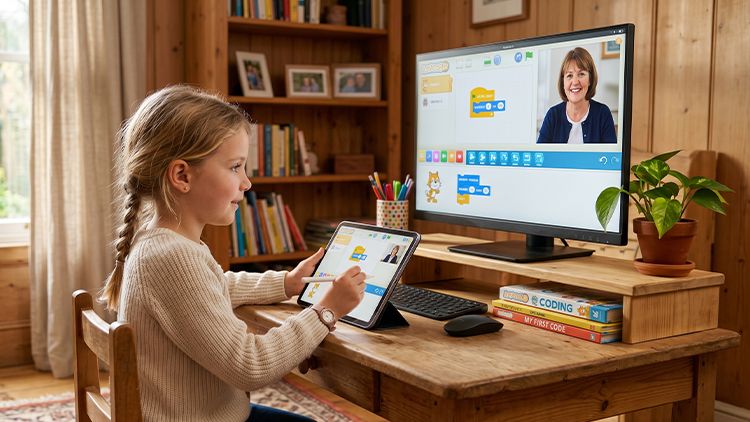
We highly recommend using a separate computer or laptop to join the Zoom meeting. This allows the child to watch the teacher on the big screen while using their tablet to code (hands-free from the video call).
3. Connection
A stable internet connection.
Note: For students aged 5-6, we recommend a parent stays nearby for the first few sessions to help with device setup.
Frequently Asked Questions
1. What is Scratch Jr ?
Scratch Jr is an introductory programming language that enables young children (ages 5-7) to create their own interactive stories and games. It creates a stepping stone to the more advanced Scratch language used by older kids.
2. Does my child need to know how to read?
No. Scratch Jr uses graphical symbols (icons) rather than text. If your child can recognize pictures and colors, they can succeed in this course.
3. How are the classes conducted?
Students can learn in three flexible formats:
- Live Online – interactive sessions with American instructors
- Self-Paced – video lessons to study anytime
- In-Person – available at select EonSTEM Academy locations
4. What happens after this course?
After mastering the basics, students can move on to Scratch Jr Animation 201 for more complex projects, or if they are turning 8, they can graduate to our Scratch Coding Series or AI Smart Lab courses.


Curriculum & Video Lessons
Enrolled students can access all video lessons and project materials below.
Keep Your Kid’s Coding Fun Going
Scratch Jr Animation 201
Age: 5-7
Level: Beginner
Level: Beginner
Scratch Animation 301
Age: 7-9
Level: Intermediate
Level: Intermediate
About Us
Collaborations
Course Categories
©Copyright EonSTEM 2026